
Conditions and variables
Write CEL conditions about an account and reuse action results in later blocks.
An If / Else condition is a yes-or-no question about the account written in CEL. For example, size(claimable_mission_ids) > 0 means some missions are ready to claim.
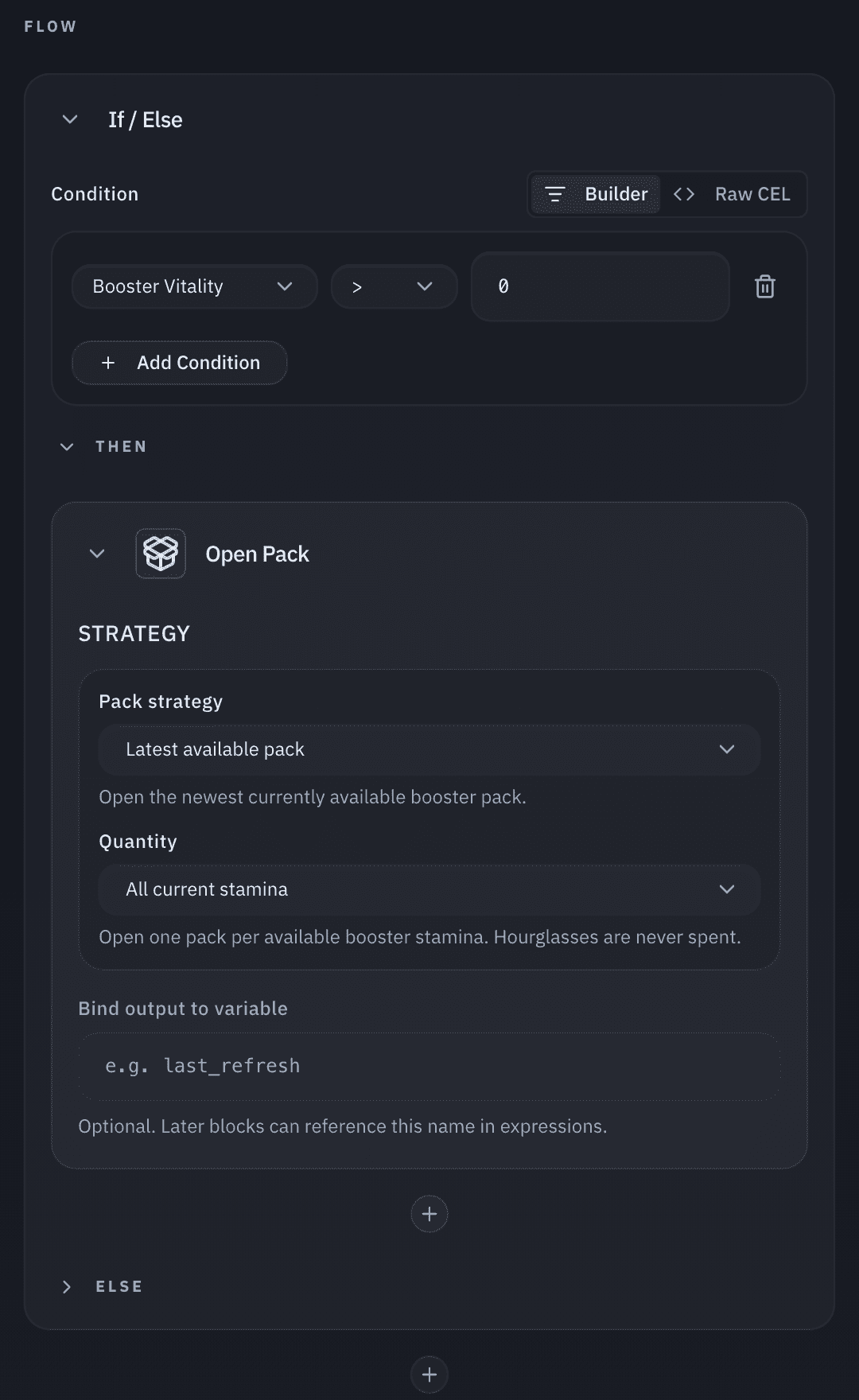
Write a condition
- Builder mode: each row is a field, operator, and value. Every row must be true; Add Condition adds one.
- Raw CEL mode: type the expression; Insert variable adds fields. Conditions that use
||or grouping open in this mode.
Account fields
Insert variable lists these under Summary Fields, and earlier bindings under Variables. "Vitality" is the game's stamina.
| Field | Expression |
|---|---|
| Player Level | player_level |
| Number of Cards | number_of_cards |
| Booster Vitality | booster_vitality.amount |
| Wonder Pick Vitality | miracle_pick_vitality.amount |
| Trade Vitality | trade_vitality.amount |
| Event Battle Vitality | event_battle_vitality.amount |
| Pack Hourglasses | pack_hourglasses.total_item_count |
| Wonder Pick Hourglasses | miracle_pick_hourglasses.total_item_count |
| Event Hourglasses | event_hourglasses.total_item_count |
| Trade Hourglasses | trade_hourglasses.total_item_count |
| Has Claimable Rewards | reward_inbox.has_claimable_items |
| Claimable Missions Count | size(claimable_mission_ids) |
Expressions and output variables
On Add Friend, Approve Friend Request, and Remove Friend, the Expression (CEL) toggle in Parameters computes the player ID from account data. Automation JSON lists the exact fields.
Bind output to variable names an action's result for later blocks. Names use letters, digits, and underscores, can't start with a digit, and must be unique in the workflow. Don't use summary, true, false, null, or an account field name.
A bound result is a map of strings: numbers and true/false become text, and nested values become
JSON text. Convert a value before comparing it, for example int(my_result.count) > 0.